Quick answer — Copilot answers from Bing. Get your site into Bing Webmaster Tools, submit your sitemap, use IndexNow so new pages are picked up fast, and publish pages that answer buyer questions directly. Then use Bing's AI Performance report to see exactly which pages Copilot cites, and build on what works.
Copilot is in Windows, Edge, Bing and Microsoft 365. For a lot of corporate buyers it is the assistant they already have open. When one of them asks it for "a fractional CFO who works with SaaS companies", it builds a shortlist from Bing. This guide covers how to get onto it. For the other assistants, see our guides to ChatGPT, Gemini, Perplexity and Claude.
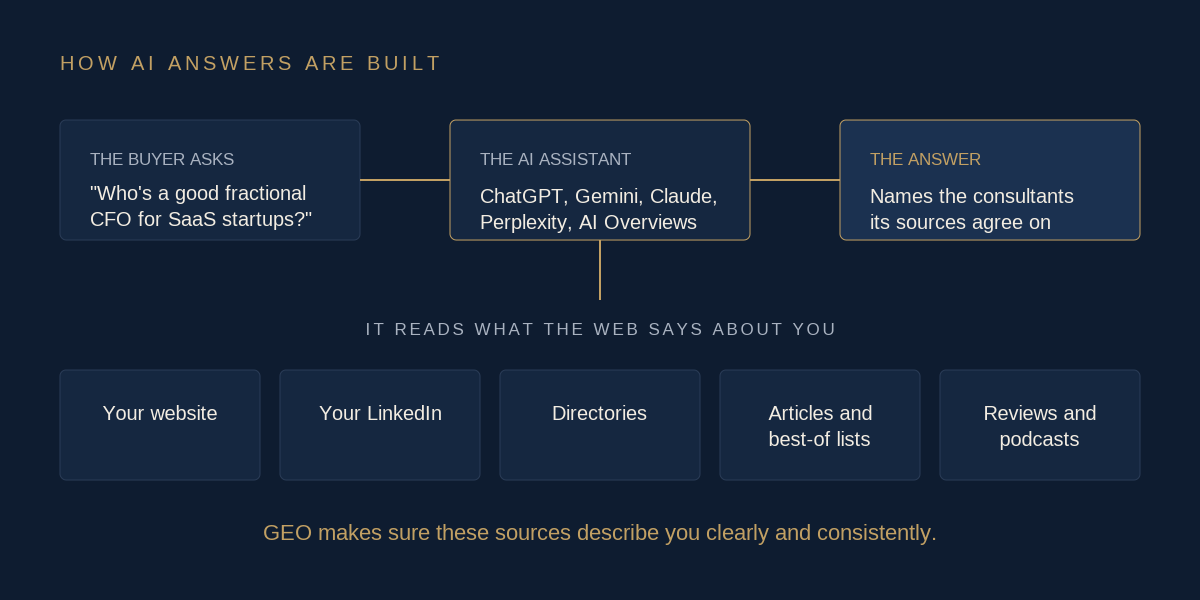
How Copilot builds an answer
Copilot turns a question into one or more Bing searches, which Microsoft calls grounding queries, reads the top results and writes an answer with citations. Your chance of being named depends on two things: whether Bing has your pages, and whether those pages answer the question clearly.
Most consultants only ever look at Google. Bing is often an afterthought, which makes it one of the easiest wins in AI visibility.
Step 1: Add your site to Bing Webmaster Tools
Bing Webmaster Tools is free. You can import your site straight from Google Search Console in a few clicks. Then:
- Submit your sitemap
- Check the pages you care about are indexed
- Run Site Scan to catch technical problems
Step 2: Turn on IndexNow
IndexNow tells Bing the moment you publish or update a page, instead of waiting for it to crawl. Many website platforms support it out of the box, or it can be added in an afternoon. For a consultant publishing a few pages a month, it means new content can be cited within days.
Step 3: Use the AI Performance report
This is what makes Copilot different from every other assistant: Microsoft tells you when it cites you. The AI Performance report in Bing Webmaster Tools shows:
- Total citations of your pages in Copilot and Bing's AI answers
- Which pages were cited, and how often
- Grounding queries, the searches Copilot ran when it found you
On our own site, the pages Copilot cited most were a ranked list of agencies and a practical how-to guide. Both open with a direct answer and are clearly structured. That is a useful pattern for consultants: comparison content and step-by-step guides are what Copilot reaches for.
Check the report monthly. Pages that are cited are worth expanding. Grounding queries show the wording buyers use, which you can use in headings and FAQs.
Step 4: Answer the question in the first lines
Copilot quotes passages that answer directly. Open each service page and guide with one or two sentences that answer the question it targets. Use headings phrased the way buyers ask, and add an FAQ section.
Step 5: Complete Bing Places for Business
If you have an office or serve a region, claim your listing on Bing Places for Business, the Bing version of Google Business Profile. Keep the name, address, phone number and description identical to your website and Google profile.
Step 6: Keep your Microsoft footprint consistent
Microsoft owns LinkedIn, and many corporate buyers move between Copilot, Outlook and LinkedIn all day. Make sure your LinkedIn profile and company page describe you exactly as your website does. When the sources a buyer sees disagree, trust drops.
Step 7: Earn mentions on sites Bing trusts
Like every AI assistant, Copilot is more confident naming you when other sites agree about who you are. Comparison articles, directories, industry associations and guest articles all help. See our guide to backlinks for consultants.
The bottom line
Copilot is the AI assistant that is easiest to measure. Get into Bing properly, tell it about new pages with IndexNow, and use the AI Performance report to see what works. The same work helps ChatGPT, which also draws on Bing.
Kräfte's SEO and GEO for consultants covers Bing, Google and every major AI assistant, on a fixed monthly retainer. Try our free AI visibility checker to see where you stand today.