Quick answer — Claude names consultants it can describe confidently from several independent sources. Let Anthropic's crawlers in, make sure your pages are in Brave Search (which Claude's web search has been reported to use), describe yourself the same way everywhere, and publish pages that answer buyer questions plainly enough to quote.
More buyers now use Claude for research, especially for considered decisions like choosing a consultant. Claude is careful by design. It would rather say "I'm not sure" than recommend someone it can't back up. That makes it harder to win than some assistants, and more valuable once you do. For the other assistants, see our guides to ChatGPT, Gemini, Perplexity and Microsoft Copilot.
Two ways Claude knows about you
What it learned in training. Claude learns from a large snapshot of the public web. If you were clearly and consistently described before that snapshot, Claude may know you without searching. Changes take a long time to show up here, because they wait for the next model.
What it finds when it searches. With web search on, Claude looks up current pages and cites them. Anthropic hasn't published the details, but Claude's web search has been reported to use Brave Search. This is the part you can influence quickly.
Step 1: Let Anthropic's crawlers in
Check your robots.txt doesn't block:
- ClaudeBot, which gathers public content for training
- Claude-SearchBot, which supports Claude's search
- Claude-User, which fetches a page when someone asks Claude to read it
Make sure your key pages work without JavaScript, logins or cookie walls, so the text is there when they arrive.
Step 2: Check you're in Brave Search
Most consultants check Google, some check Bing, almost none check Brave. Search for site:yourdomain.com on search.brave.com and look at:
- How many pages appear. If it's only your homepage, Brave hasn't found the rest.
- What the descriptions say. Brave can hold an old version of your page for months.
We found exactly this on our own site: Brave had three of our pages, and our homepage description was from before we changed our services. Brave has no submission tool like Google Search Console, so the fixes are indirect:
- Link to your important pages from pages Brave already has, like your homepage
- Get linked from other sites, which gives every crawler another route in
- Keep a clean sitemap at /sitemap.xml and reference it in robots.txt
Step 3: Be described the same way everywhere
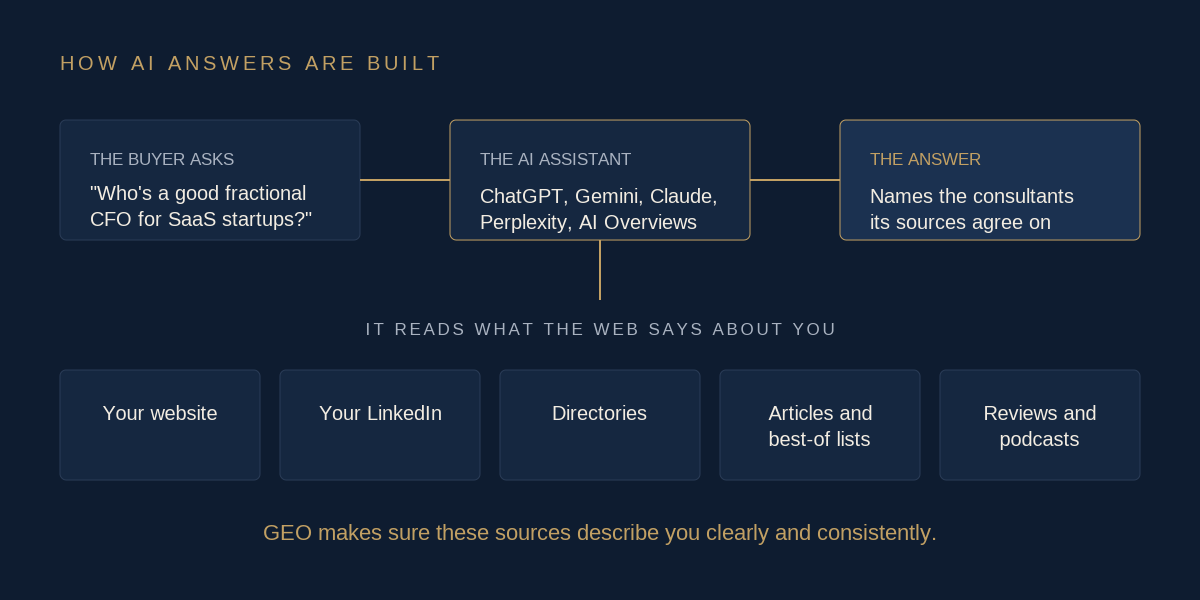
Claude weighs agreement between sources. If your website, LinkedIn, directory profiles and guest bios all say the same thing about who you help and how, Claude can say it with confidence. If they disagree, it hedges or leaves you out.
Write one plain sentence, "I help [who] do [what] in [where]", and use it everywhere.
Step 4: Write pages Claude can quote
Claude prefers clear, specific and balanced sources. Pages that read like adverts are less useful to it than pages that explain.
- Open with a direct answer to the question the page targets
- Explain trade-offs honestly, including when you are not the right fit
- Use specifics: who you work with, what you do, how you charge
- Add a short FAQ with the questions buyers really ask
Step 5: Give Claude independent proof
Your own site is one voice. Claude looks for others that agree:
- Comparison articles and rankings that include you
- Directories and associations in your field
- Podcasts, interviews and guest articles
- Reviews on public platforms
Our guide to backlinks for consultants covers how to earn these.
Step 6: Offer a plain-text summary
Some AI tools read an llms.txt file at the root of your site: a short, plain description of who you are, what you do and your most important pages. It takes ten minutes to write and costs nothing to keep. It won't replace the steps above, but it removes any doubt about how you describe yourself.
Step 7: Re-check regularly
Ask Claude, with web search on, the questions your buyers would ask. Note whether you appear, how you're described and what it cites. Our free AI visibility checker writes the questions and opens them in Claude and the other assistants.
The bottom line
Claude recommends consultants it can describe with confidence. Be findable in the index it searches, consistent everywhere, and backed up by sources other than yourself.
Kräfte's SEO and GEO for consultants checks what Claude, ChatGPT, Gemini, Perplexity, Copilot and Google say about you every month, on a fixed monthly retainer.